How can I hide the molecule label?
In earlier versions of NMRium you could make a label disappear by setting it to an empty string. This is no longer allowed, because an invisible label was confusing. Instead, NMRium now offers two clean ways to hide labels.
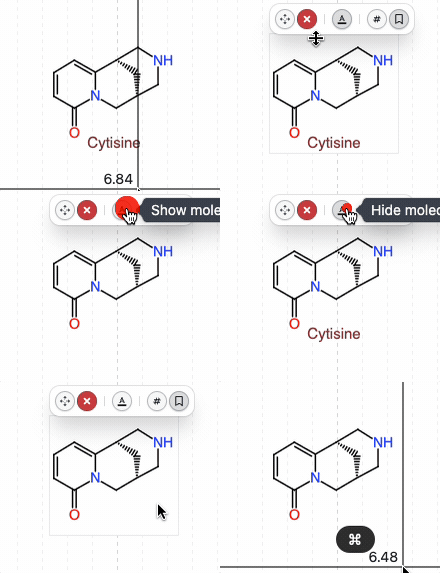
- Per molecule — use the mouseover toggle on the molecule itself.
- By default for all new molecules — change the setting in the Chemical structures panel and save it in your workspace.
Option 1 — Toggle on a single molecule (mouseover)
Hover over the molecule in the Chemical structures panel: a small toolbar appears that lets you show or hide the label for that specific molecule. This is the quickest way when you only want to hide one label.
Option 2 — Hide labels by default (permanent, via workspace)
If you never want to see labels for new molecules, open the settings of the Chemical structures panel and uncheck Show label.
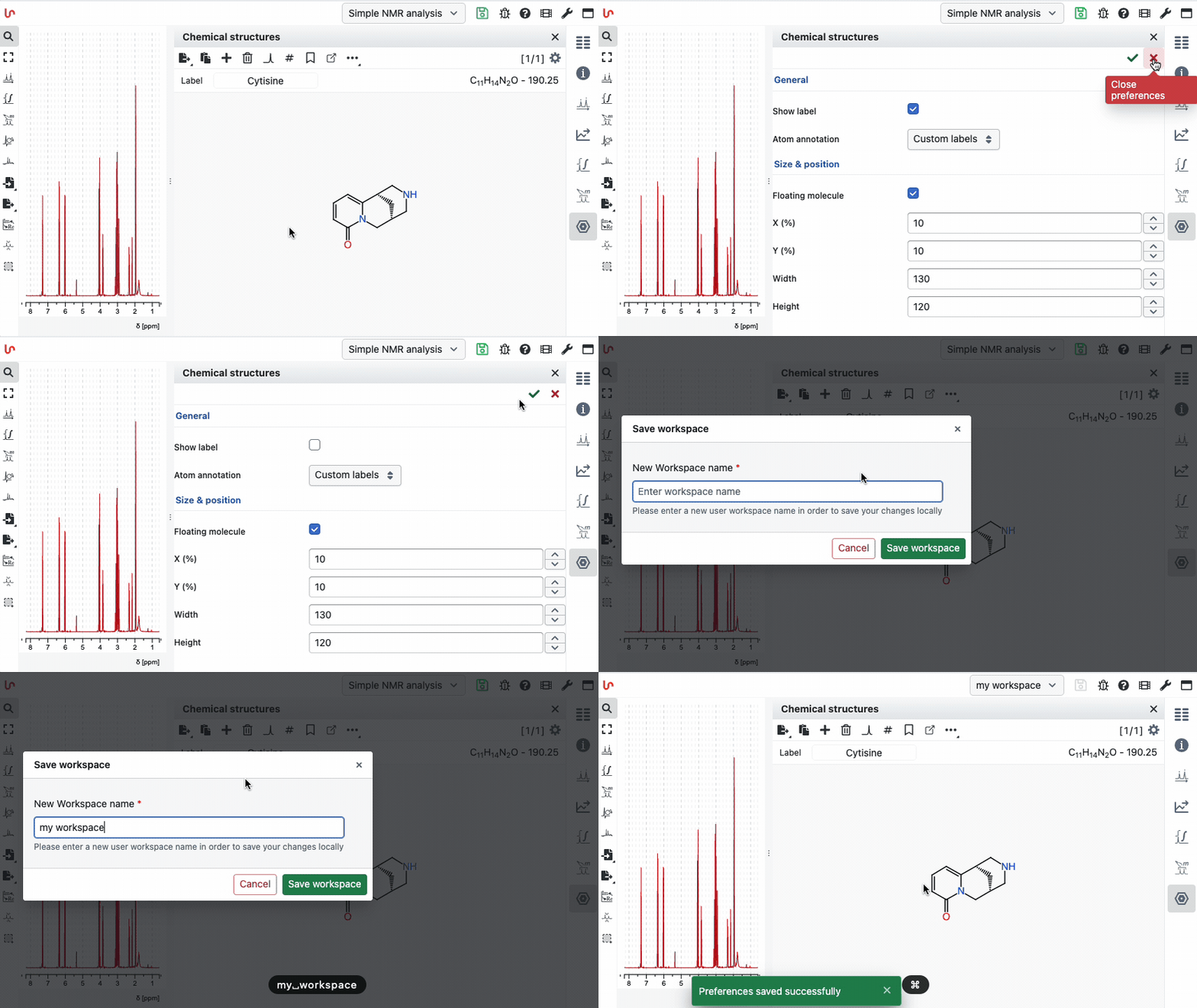
To apply this to every future session, save the setting in your workspace. New molecules added afterwards will be created without a visible label. See the workspaces documentation for how to save and share workspaces.