Display Customization
NMRium provides fine-grained control over the visual appearance of spectra, making it possible to produce publication-ready exports directly from the interface — no post-processing in a graphics editor required.
All options described on this page are available from the General settings panel.
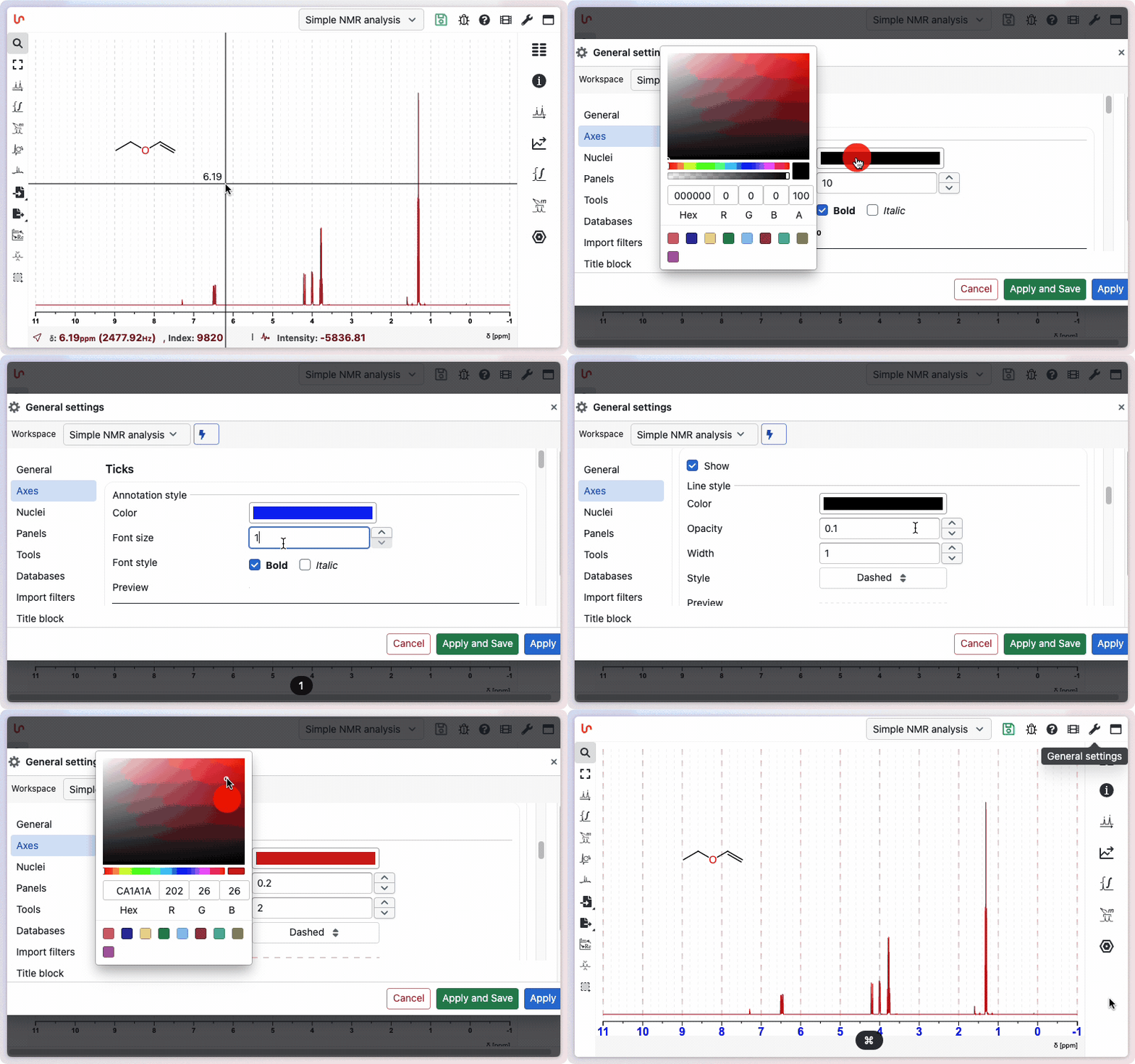
Axis
Typography
You can set the font size and toggle bold and italic independently for each axis. This lets you match the typographic requirements of a specific journal, conference poster, or institutional template before exporting.
- Font size — set the point size for axis labels and tick values
- Bold — apply bold weight to axis text
- Italic — apply italic style to axis text
Changes are reflected instantly in the spectrum view and carried through to every export (SVG, PNG, or clipboard).
Grid lines
Major and minor grid lines can each be shown or hidden separately. When enabled, each grid level can be customized for both 1D spectra and 2D contour maps:
| Option | Major grid | Minor grid |
|---|---|---|
| Show / hide | Yes | Yes |
| Color | Yes | Yes |
| Line width | Yes | Yes |
| Line style | Yes | Yes |